5 Home Types Where Robot Vacuums Struggle (And How to Fix It)
Identifying Compatibility Issues Before You Buy
Katie Armstrong
January 22, 2026 · 7 min read
Robot vacuums promise effortless automated cleaning, but they’re not universally compatible with every home. Certain floor plans, architectural features, and design choices can turn your dream of hands-free cleaning into a frustrating experience of constantly rescuing a stuck robot.
The good news? Most compatibility issues have solutions—if you know what to look for before you buy and how to address problems after you bring your robot home. Let’s explore the five most common home types where robot vacuums struggle and the practical fixes that help them succeed.
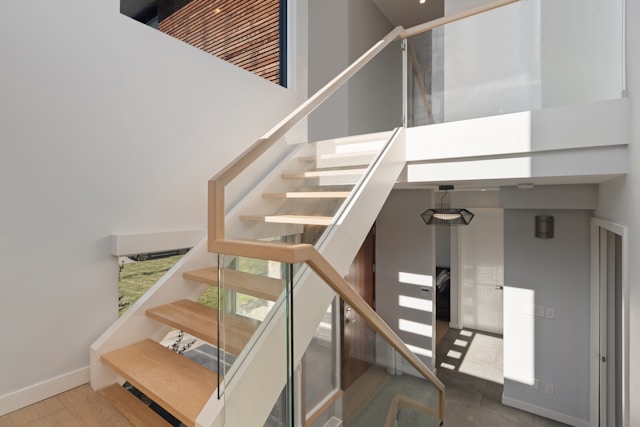
1. Multi-Level Homes Without Multi-Floor Mapping
If you have stairs, your robot vacuum can’t climb them. That’s an unchangeable fact of physics. But the bigger challenge comes from how robots handle multiple floor plans.
The Problem
Budget and mid-range robots often support only single-floor mapping. When you carry them upstairs, they either refuse to clean (waiting to be returned to their “known” space) or start mapping from scratch, treating the second floor as an entirely new, unknown environment.
This means:
- No saved cleaning preferences for upstairs rooms
- Inefficient random cleaning instead of smart navigation
- Can’t create upstairs no-go zones or virtual walls
- Manual intervention required every time you move the robot
If you manually move your robot between floors multiple times per week, this becomes exhausting quickly.
The Solution
Buy a robot with multi-floor mapping capability. Models like the Roborock Q7 Max+ can save maps for multiple levels. The robot remembers each floor layout, including room labels, no-go zones, and cleaning preferences.
When you carry it upstairs, it recognizes “this is the second floor map” and resumes normal operation immediately. You set up each floor once, and the robot remembers forever.
Alternative approach: Buy two robots. This sounds extravagant, but hear me out. Two Shark AI Ultra robots (around $400-500 each) cost less than a single premium flagship. Each robot stays on its dedicated floor, eliminating the hassle of moving robots up and down stairs.
For households where different floors have different cleaning needs (carpeted upstairs, hard floors downstairs), this approach actually makes more sense than one premium robot that has to handle both floor types equally.
Budget workaround: If you only occasionally clean one floor, manual mapping each time might be acceptable. But be honest with yourself—if “occasionally” means weekly, you’ll hate this quickly.
2. Homes With High Thresholds and Floor Transitions
Victorian homes, older construction, and homes with distinct room-by-room flooring often feature raised thresholds between rooms. These transitions can range from barely perceptible to several centimeters high.
The Problem
Most robot vacuums can handle transitions up to 1.5-2cm without issue. Above that, many struggle or fail completely. The robot approaches the threshold, bumps into it, backs up, tries again at a different angle, fails again, and eventually gives up—marking that entire room as inaccessible.
Even robots that can technically climb higher thresholds sometimes lack the confidence or programming to attempt them. You’ll watch your $800 robot bounce helplessly against a 2cm threshold it could physically clear if it just committed to the climb.
Floor transitions aren’t just doorways. They also include:
- Carpet-to-hardwood boundaries
- Tile-to-vinyl transitions
- Sunken living rooms
- Raised hearths around fireplaces
- Area rugs with thick borders
The Solution
Choose a robot with superior obstacle-climbing capability. The Roborock Qrevo Curv advertises 4cm threshold climbing—the highest in the industry. Its AdaptiLift chassis actively adjusts to navigate complex transitions that would stop most robots cold.
The Dreame L10s Ultra Gen 2 handles 3cm obstacles reliably. For homes with multiple challenging transitions, these premium robots save enormous frustration.
DIY threshold ramps: For the budget-conscious, you can create small ramps over troublesome thresholds using rubber threshold ramps (sold at hardware stores) or even sturdy cardboard secured with strong tape. Make sure ramps are wide enough that the robot won’t slide off the edges.
Strategic no-go zones: If certain transitions prove impossible, use virtual walls to keep the robot away. Clean those rooms manually or with a stick vacuum. It’s not ideal, but it’s better than the robot getting stuck mid-clean and stopping the entire cleaning session.
Test before you buy: If possible, measure your thresholds before purchasing. Most product pages list maximum threshold height, though manufacturers sometimes exaggerate capability. Read reviews from users with similar homes to yours.
3. Dark Floors and Black Carpets
This one catches people by surprise. Your beautiful dark hardwood or black carpet might confuse your robot vacuum’s sensors, causing strange behavior or complete failure.
The Problem
Many robot vacuums use optical sensors or cameras for navigation and cliff detection. These sensors work by detecting contrast—light bouncing off surfaces.
Dark or black surfaces absorb light rather than reflecting it. To the robot’s sensors, a black carpet can look like an infinite drop—the same signal the cliff detection sensors receive when approaching stairs.
The result? Your robot refuses to clean dark areas, treating them as dangerous drop-offs. It might:
- Stop at the edge of dark carpet and refuse to proceed
- Clean in small, cautious movements
- Constantly trigger false cliff-detection warnings
- Mark dark rooms as inaccessible
This problem particularly affects camera-based navigation systems in low-light conditions. The camera literally can’t see what it’s looking at.
The Solution
Choose robots with LiDAR navigation. LiDAR uses lasers, not cameras or optical sensors, so it doesn’t care about floor color. Models like the Shark AI Ultra or Roborock Q7 Max+ navigate dark floors without issue.
Improve lighting: More light helps camera-based systems. Add floor lamps or increase overhead lighting in dark rooms. Some users report success leaving curtains open during cleaning times to maximize natural light.
Update firmware: Manufacturers sometimes release updates that improve dark floor handling. Check if your robot has pending updates.
Tape over cliff sensors: This is a last resort and voids warranties, but some users carefully tape over cliff sensors with translucent tape. This reduces sensitivity enough to allow cleaning dark floors while (hopefully) still detecting actual stairs. This is risky—proceed with extreme caution and test thoroughly near real drop-offs before trusting it.
Switch floor coverings: Obviously not practical for most people, but if you’re renovating or choosing new area rugs, lighter colors will never cause sensor issues. Medium-gray or patterned rugs work better than solid black.
4. Cluttered Spaces With Cables and Small Obstacles
If your home has charging cables snaking across the floor, kids’ toys scattered about, pet bowls in traffic zones, and general clutter, your robot vacuum will struggle—no matter how expensive or advanced.
The Problem
Even robots with sophisticated obstacle avoidance (like the Ecovacs Deebot X8 Pro Omni with AIVI 3D technology) can get tangled in cables, stuck on toys, or confused by complex obstacle courses.
The more cluttered your floor, the more time the robot spends navigating around obstacles instead of cleaning, the more likely it gets stuck, and the more frequently it needs rescue. A robot that theoretically cleans for 120 minutes might only achieve 40 minutes of actual cleaning in a cluttered space.
Clutter problems include:
- Phone charging cables
- Laptop power cords
- Small toys (LEGO pieces are notorious)
- Pet bowls and water dishes
- Shoes and slippers
- Lightweight furniture (bar stools, plant stands)
- Hanging tablecloths or curtains
- Tasseled rugs
The Solution
Pre-cleaning preparation becomes essential. Before each robot cleaning session, do a quick 2-minute pickup:
- Lift cables onto furniture
- Gather toys into bins
- Push chairs fully under tables
- Move pet bowls to counter
Yes, this defeats some of the “hands-free” appeal. But 2 minutes of prep is still better than 30 minutes of manual vacuuming.
Choose robots with superior obstacle avoidance. The Roborock Qrevo Curv with Reactive Tech and the Ecovacs Deebot X8 Pro Omni with AIVI 3D recognize and avoid many common obstacles. They’re not perfect, but they reduce stuck scenarios significantly.
Strategic no-go zones: Use virtual boundaries to keep the robot away from chronically cluttered areas. Under your desk with its cable nest? No-go zone. Kids’ play area? No-go zone. Clean these areas manually when needed.
Cable management solutions: Invest in cable channels, under-desk cable trays, or furniture with built-in cable management. This improves both robot vacuum performance and general home aesthetics.
Scheduled cleaning during optimal times: Run your robot when floors are naturally clearer—middle of the workday when kids are at school, or late evening after dinner when dishes are done and kitchen is cleared.
Create designated robot-friendly zones: Rearrange furniture to create clear pathways. Wide, straight runs are easier for robots than narrow, twisting paths between closely-spaced furniture.
5. Pet-Owning Households (The Accident Scenario)
Pet owners face a unique robot vacuum fear: the dreaded accident scenario. If your pet has an accident on the floor and your robot vacuum encounters it, you’re in for a disaster that’s become the stuff of internet legend.
The Problem
We’ve all seen the photos: robot vacuums that found pet accidents and, following their programming to clean the floor, proceeded to spread the mess across an entire room, grinding it into carpet fibers and leaving smear marks across hardwood.
This isn’t just a cleaning disaster—it can damage your robot vacuum (feces and urine can corrode components) and cost hundreds or thousands in carpet cleaning or replacement.
The problem extends beyond accidents to other pet-related challenges:
- Pet food spilled from bowls
- Water splashed from water dishes
- Shed fur in massive quantities
- Vomit
- Muddy paw prints from outside
The Solution
Choose robots with certified pet waste avoidance. The Shark PowerDetect NeverTouch Pro and similar advanced robots use cameras and AI to identify and avoid pet waste.
Shark even offers a P.O.O.P. guarantee (Pet Owner Official Promise)—if their robot doesn’t avoid pet waste, they replace it free. That’s how confident they are in the technology. The Roborock Qrevo Curv also features sophisticated object recognition.
Are these systems perfect? No. But they dramatically reduce the risk.
Never run your robot unsupervised if your pet has recent accidents. If your dog has been sick or your cat has litter box issues, do a quick floor check before running the robot. The 30 seconds it takes could save you hours of cleanup.
Create pet feeding zones with no-go boundaries. Keep robot vacuums away from areas where pet food and water bowls live. This prevents food and water from being scattered across your home.
Train pets to use specific bathroom areas. This is a longer-term solution, but having designated pet potty areas (puppy pads, litter boxes) that you can exclude from robot cleaning zones provides peace of mind.
Consider robots with mop pad drop features. The Shark PowerDetect NeverTouch Pro can drop its mop pad at the base when vacuuming carpets, then pick it up later. This prevents dragging a wet mop through dry messes.
Home security cameras as monitoring. If you have security cameras, check footage before running your robot when you’re not home. A quick app check can confirm floors are clear.
General Tips for Challenging Homes
Regardless of which specific challenges your home presents, these strategies help maximize robot vacuum success:
Start with manual cleaning: Before introducing a robot vacuum, deep clean your floors with a traditional vacuum. Get surfaces to “baseline clean” so the robot only maintains them rather than tackling accumulated grime.
Run more frequently: Counter-intuitively, running your robot more often (even twice daily) can work better in challenging homes. The robot tackles smaller amounts of debris each session, reducing the chance of getting stuck or overwhelmed.
Gradual introduction: Start by letting the robot clean just one or two rooms. Identify problem areas, address them, then expand the cleaning zone. This is less overwhelming than whole-home cleaning that fails repeatedly.
Map optimization: After initial mapping, review the map in your app. Add virtual walls, no-go zones, and room labels. Take time to refine this—a well-configured map makes enormous differences in performance.
Maintenance prevents stuck situations: Clean brushes, wheels, and sensors regularly. Dirt buildup causes performance issues that lead to stuck scenarios and incomplete cleaning cycles.
Have realistic expectations: No robot vacuum handles every home perfectly. If yours requires 2 minutes of pre-cleaning and occasional manual assistance, that’s still enormously better than complete manual vacuuming.
When Robot Vacuums Aren’t the Answer
Sometimes, honesty is the best policy: some homes just aren’t suitable for robot vacuums, or at least not as primary cleaning devices.
You’re probably better off with traditional vacuuming if:
- You have more than 3 flights of stairs and refuse to buy multiple robots
- Your entire home is high-pile carpet or shag rugs
- Floor clutter is endemic and you won’t change your habits
- You have open floor plans with zero enclosed spaces (robots work best with walls to follow)
- You have special floor types (unsealed wood, very rough stone) that robots can damage
- Your home layout changes constantly (furniture moves weekly)
In these cases, a cordless stick vacuum might offer better value—still more convenient than a traditional upright, but without the setup and maintenance overhead of a robot vacuum.
The Bottom Line
Most home compatibility issues have solutions, but they require effort, investment, or compromise. The question is whether the convenience of automated cleaning justifies the workarounds required for your specific home.
Before buying a robot vacuum, honestly assess your home’s challenges. Measure thresholds, note dark floor areas, evaluate clutter levels, and consider your pet’s behavior. Then choose a robot specifically designed to handle your home’s unique challenges, or be prepared to adapt your home to accommodate the robot.
The Roborock Qrevo Curv handles more home challenges than most robots, but even it has limits. The Shark AI Ultra offers excellent value for simpler homes without extreme obstacles. The Dreame L10s Ultra Gen 2 excels at edge cleaning in complex layouts.
Match the robot to your home’s specific needs, set realistic expectations, and you’ll join the millions of satisfied owners who wonder how they ever lived without automated floor cleaning—despite whatever quirks their homes present.
Share this article